EmuDOS logo

A beautiful DOS game library for Windows

Drop a game onto a wooden shelf and it just plays — the right CPU speed, the right sound card, the right program to launch, all figured out for you. No .conf, no cycles tuning, no setup.

Free & open source · Windows 10/11 · powered by the DOSBox Pure core
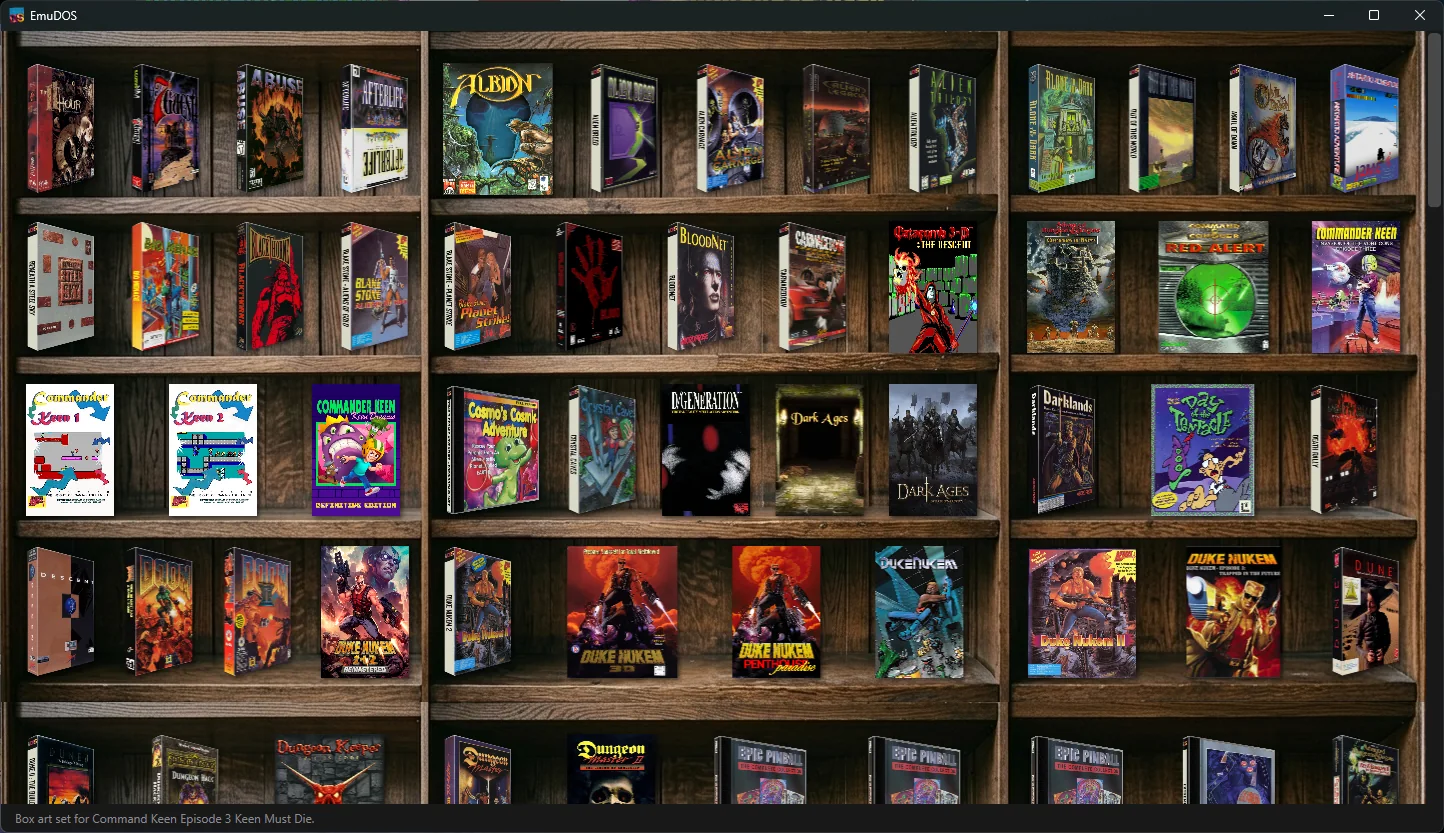
EmuDOS bookshelf library — DOS games shown as 3D box art on wooden shelves

Every game becomes a box on the shelf — box art lands automatically, and a click plays it.


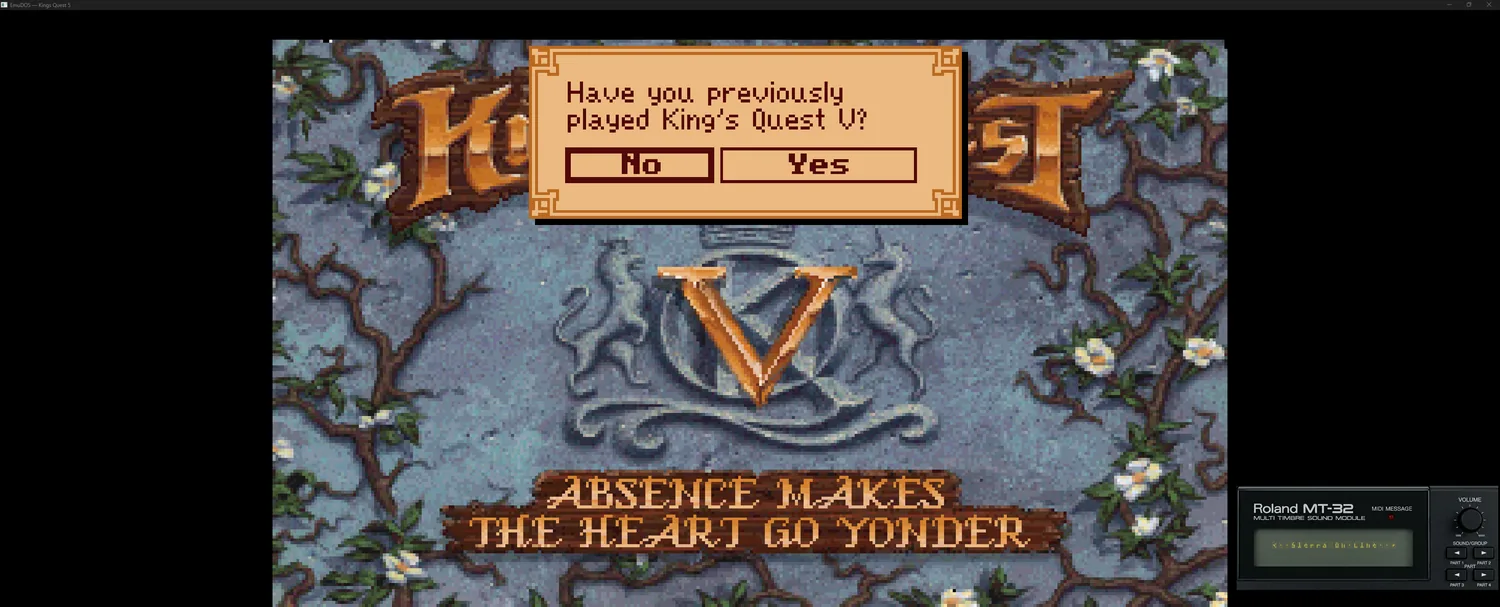
A DOS adventure game running in EmuDOS with the emulated Roland MT-32 LCD scrolling in the corner
ROLAND MT-32 MUSIC · LIVE ON-SCREEN LCD
Authentic Sound

The Roland MT-32, on your desktop

Some of the best DOS soundtracks were written for the Roland MT-32. Drop in your MT-32 (or CM-32L) ROMs and those games play with real MT-32 music — complete with the module's iconic dot-matrix LCD scrolling its messages on screen as you play. Sound Blaster, AdLib, and General MIDI are all covered too.


Features

Everything the shelf hides

A pretty bookshelf is the front door. Behind it is the part that actually makes old games behave.

The Bookshelf

Your collection as box art on a wooden shelf — face-out covers, hover-to-lift, search and sort. Drop a folder, a .zip, or a CD image anywhere on the window to import it. Each game becomes a self-contained gamebox folder you can back up or move; the library is just a rebuildable index over them.

It Just Works

A curated catalog applies known-good settings on import — CPU cycles, sound card, memory, the right program to launch. Wrong values aren't crashes, they're a subtly broken game; EmuDOS gets them right so you don't have to. Every setting is overridable per game, and your edits survive catalog updates.

2D & 3D Box Art

Covers download automatically from ScreenScraper with a SteamGridDB fallback. Choose flat 2D or angled 3D boxes per game or library-wide — or drop in your own.

Discs & Windows

Multi-disc games, in-game disc swapping, and even installing and booting a full Windows 9x for the games that need it.

Manuals, First-Class

So many DOS games gated play behind a manual or code-wheel lookup. EmuDOS treats manuals as a real feature — download a game's manual and read it in a built-in viewer that reopens on your last page.

Save States

Save and restore at any moment, on top of whatever in-game saving a title already has.

Smart Launcher

Picks the right executable to run automatically — no digging through a folder for the one that starts the game.

Screenshots & Recording

Capture a frame or record gameplay clips; files land in the game's own folder alongside its saves.

Mouse Lock

Clean mouse capture and release for the point-and-click adventures and strategy games that need a real pointer.

Cloud Sync via GitHub

Sign in with GitHub and EmuDOS backs up your battery saves, library database, and game notes to a private repository it creates for you automatically. Set up a new PC, sign in, and your collection and progress are right where you left them — in a repo only you can see.

Also included

  • One-click core download on first run
  • Per-game settings editor
  • Portable mode
  • Sound Blaster / AdLib / GUS
  • General MIDI & SoundFonts
  • Aspect-correct display

Getting Started

Playing in four steps

No installer to babysit, no config files to write.
1

Download

Grab the latest release from GitHub and run EmuDOS.exe — it's self-contained, no install.

2

Get the Core

On first launch, Preferences → Downloads fetches the DOSBox Pure core for you.

3

Add Games

Drag a game folder, .zip, or disc image onto the window. It appears on the shelf with art.

4

Play

Click a box. The right speed and sound are already set — right-click any box for options.

Early & in active development

EmuDOS is young software, built and tested by a small group. It plays a lot of games well today, but expect rough edges as it grows. Bug reports and ideas are welcome on GitHub. EmuDOS downloads the DOSBox Pure core at runtime and never distributes copyrighted game files, BIOS, or MT-32 ROMs — you supply your own.